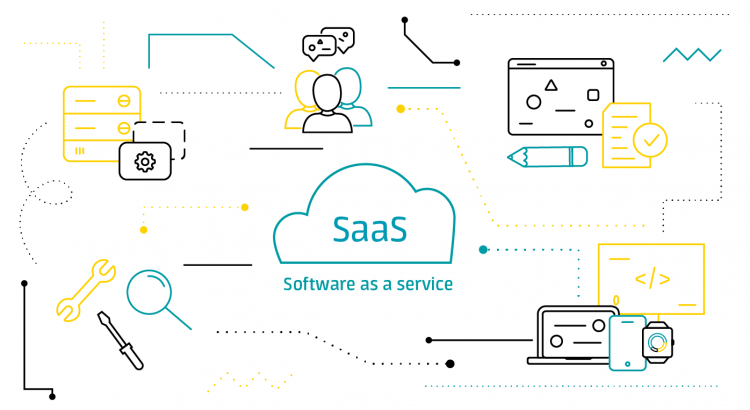
Software is everywhere today. Yet the way companies buy and use software has changed dramatically. Instead of installing programs on physical computers and managing everything internally, more organizations now rely on tools they access online.
This model is called SaaS, and it has quickly become the standard for modern businesses.
In this guide, you will learn:
- what SaaS means
- how SaaS actually works
- why companies choose it
- common examples
- and potential challenges to consider
Let’s start from the beginning.
What is SaaS?
SaaS stands for Software as a Service.
It is a software delivery model where applications are:
- hosted in the cloud
- maintained by the provider
- accessed through the internet
- paid for via subscription or usage plans
Instead of buying a license once and installing software locally, users simply log in through a browser or mobile app.
Think of it like streaming services.
You do not download every movie permanently. Instead, you access content when you need it. SaaS works in a very similar way.
Key characteristics of SaaS
SaaS solutions usually share several core traits:
1. Cloud-hosted
The provider runs the infrastructure, servers, backups, and upgrades.
Users do not manage hardware or installation.
2. Subscription-based
Most SaaS tools charge:
- monthly
- annually
- or per user / per feature
This replaces large upfront costs with smaller recurring payments.
3. Accessible from anywhere
If you have internet access, you can use SaaS from:
- laptops
- tablets
- smartphones
This makes remote work and collaboration easier.
4. Automatic updates
No manual patches or downloads are needed. The provider continuously improves the software and rolls out updates automatically.
How does SaaS work?
Behind the scenes, SaaS relies heavily on cloud computing.
Here is how the basic process works:
- The provider builds the software.
- The application runs on cloud servers (usually through providers like AWS, Google Cloud, or Azure).
- User data is stored securely in cloud databases.
- Customers access the app through a secure login over the internet.
- The provider manages security, uptime, backups, and updates.
Because everything runs centrally, every user accesses the same core platform, while still keeping data separated and secure.
Common SaaS examples
You probably already use SaaS every day.
Here are some familiar categories:
- Communication tools: Slack, Zoom, Microsoft Teams
- Project management: Asana, Trello, Monday.com
- Finance: QuickBooks Online, Xero
- Marketing: HubSpot, Mailchimp
- Customer support: Zendesk, Freshdesk
- File storage: Google Drive, Dropbox
In each case, users sign in, work online, and never worry about installing full software locally.
Benefits of SaaS
Organizations of all sizes are moving to SaaS because the advantages are significant.
Lower upfront costs
No expensive licenses or servers.
Companies pay only for what they use.
Faster deployment
Teams can start using SaaS tools within minutes rather than weeks or months.
Scalability
Need more users or advanced features?
You simply upgrade your plan instead of purchasing new infrastructure.
Reduced IT workload
Because the provider handles maintenance, internal IT teams can focus on strategy instead of troubleshooting.
Continuous innovation
SaaS vendors constantly add:
- features
- integrations
- performance improvements
Users benefit instantly without extra cost or effort.
Challenges of SaaS (and how to manage them)
Even though SaaS offers huge value, it is not perfect. Understanding the risks helps companies make smarter choices.
Dependence on internet connectivity
If your connection is unstable, access may be affected. A reliable network is essential for mission-critical SaaS tools.
Data security concerns
Organizations worry about storing sensitive information outside their own infrastructure.
The good news is that leading SaaS vendors invest heavily in:
- encryption
- compliance standards
- secure architecture
Still, reviewing security policies and permissions is important.
Subscription creep
When teams subscribe to many tools, costs can add up.
Tracking active subscriptions and usage prevents waste.
SaaS vs traditional software
To make the difference clearer, here is a simple comparison.
| Factor | SaaS | Traditional Software |
|---|---|---|
| Installation | None, browser-based | Installed on devices |
| Payment | Subscription | One-time license |
| Maintenance | Provider manages | Internal IT manages |
| Access | Anywhere online | Local machine only |
| Updates | Automatic | Manual patches |
For most organizations, SaaS offers the flexibility today’s digital environment demands.
Who uses SaaS?
SaaS is common across industries such as:
- startups and tech companies
- education
- retail and e-commerce
- healthcare
- financial services
- government agencies
Small businesses choose SaaS to avoid heavy infrastructure costs. Large enterprises use it to standardize processes globally and collaborate more efficiently.
Is SaaS right for every organization?
Not always.
Companies with strict offline security rules or highly specialized software may still require on-premise solutions.
However, for the majority of business operations, SaaS delivers a modern, cost-effective approach that supports innovation and growth.
Final thoughts
SaaS has transformed how organizations adopt technology.
Instead of complex installations and expensive upgrades, teams now access powerful tools instantly, collaborate from anywhere, and stay continuously up to date.
Understanding what SaaS is and how it works helps leaders:
- choose better solutions
- improve productivity
- control costs
- and scale with confidence
As cloud technology continues to evolve, SaaS will only become more central to how businesses operate.